UPS OCT configuration
A special feature of the Beckhoff CU81xx UPS is UPS OCT (One Cable Technology) as a communication technology between the UPS and industrial PC. The two connecting cables (+24 V, 0 V) between the industrial PC and the UPS are used simultaneously for the power supply of the industrial PC and for bidirectional, modulated data transmission. This means that supply and communication are realized via a single cable.
Your device's rating plate states whether it supports UPS OCT or not.
UPS OCT is deactivated in the BIOS of your device as standard. You can activate this function yourself in the BIOS. Follow the steps below:
- 1. Go to the Advanced tab in the BIOS.
- 2. Go to the Power Controller Options.
- UPS OCT Access is set to [Off] and no UPS is detected.
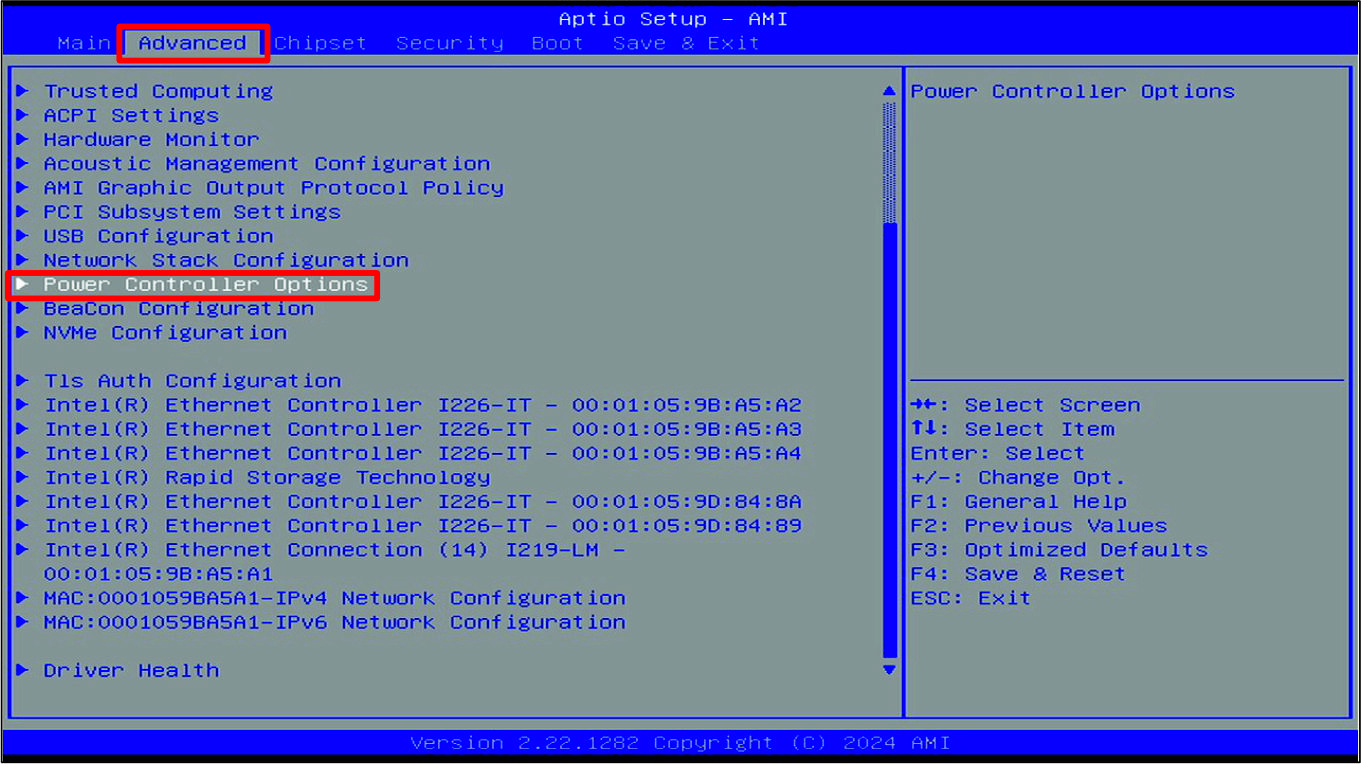 Fig.28: Power Controller Options
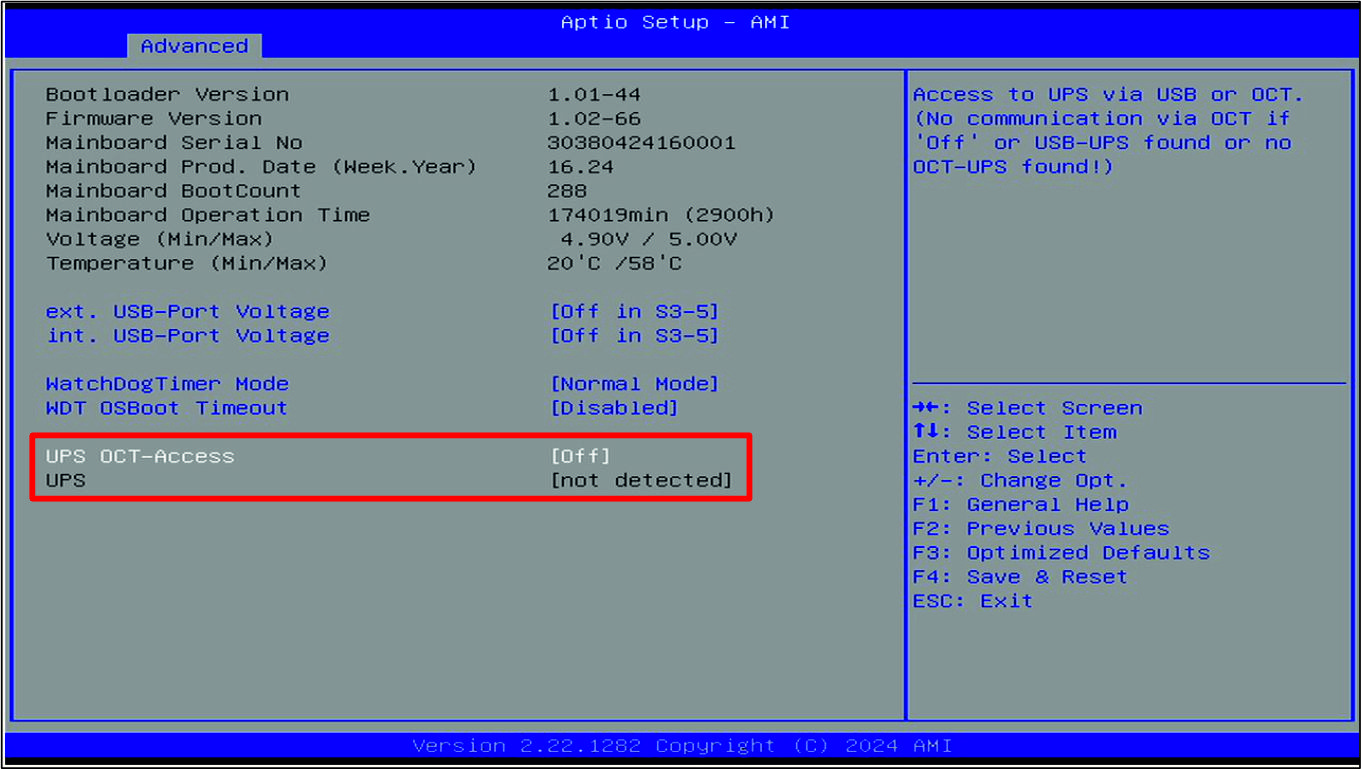 Fig.29: UPS OCT deactivated
- 3. Set UPS OCT Access to [Auto].
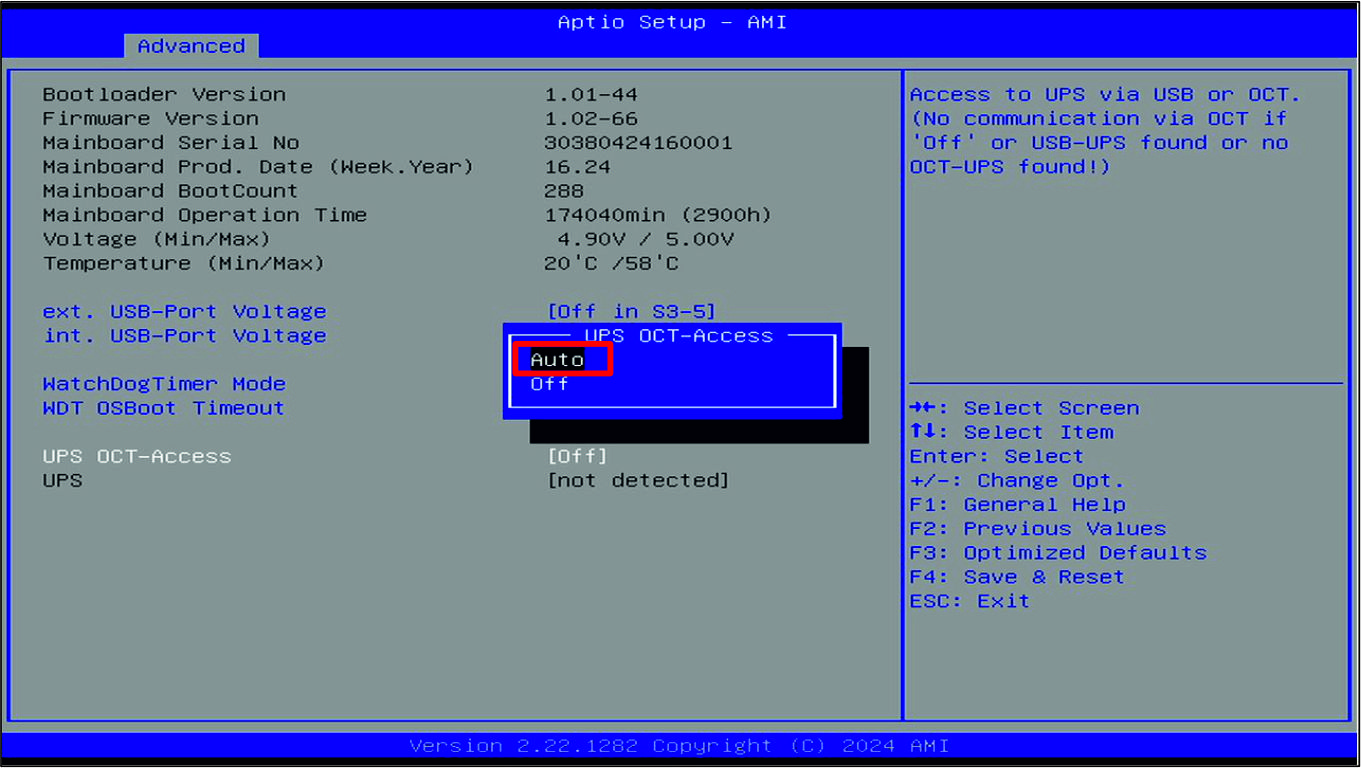 Fig.30: UPS-OCT activated
In addition to the detected UPS, the type of connection is also displayed: detected via OCT or detected via USB.
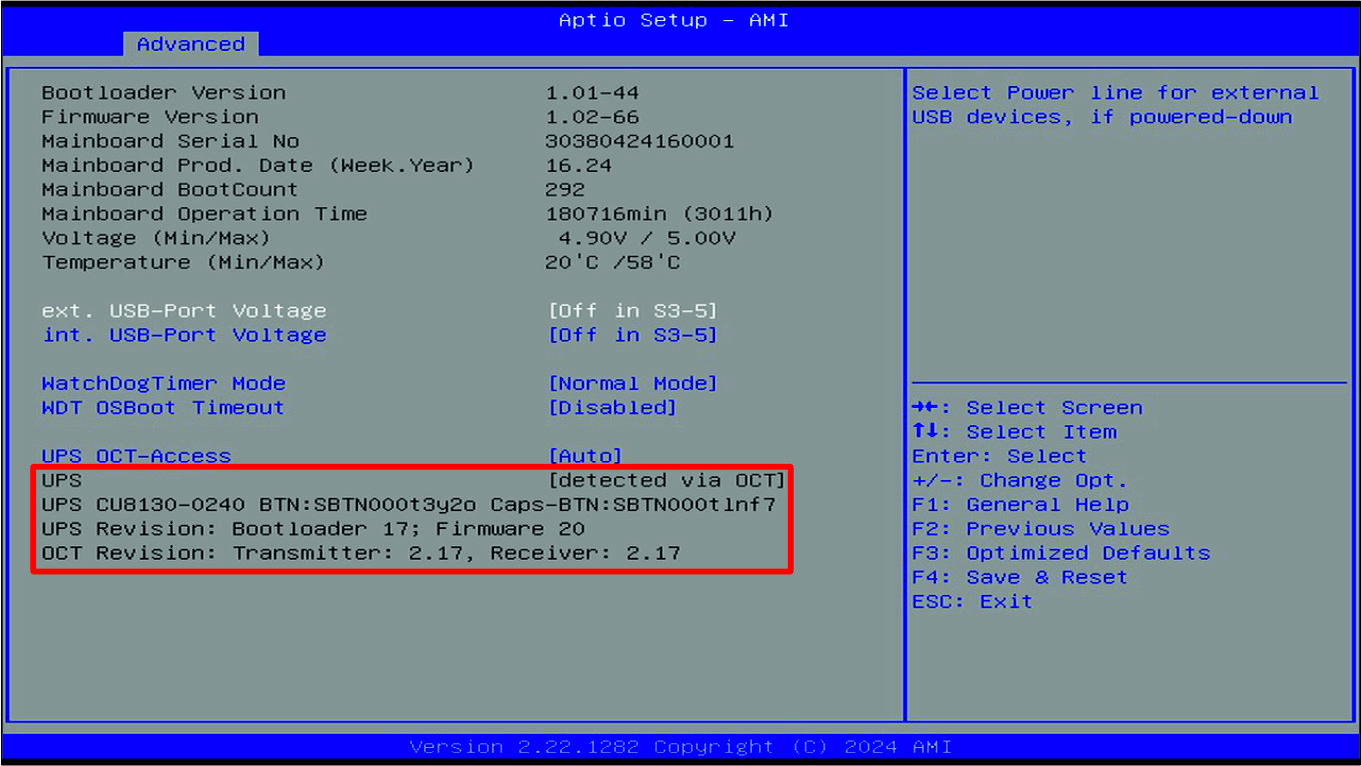 Fig.31: UPS detected via OCT
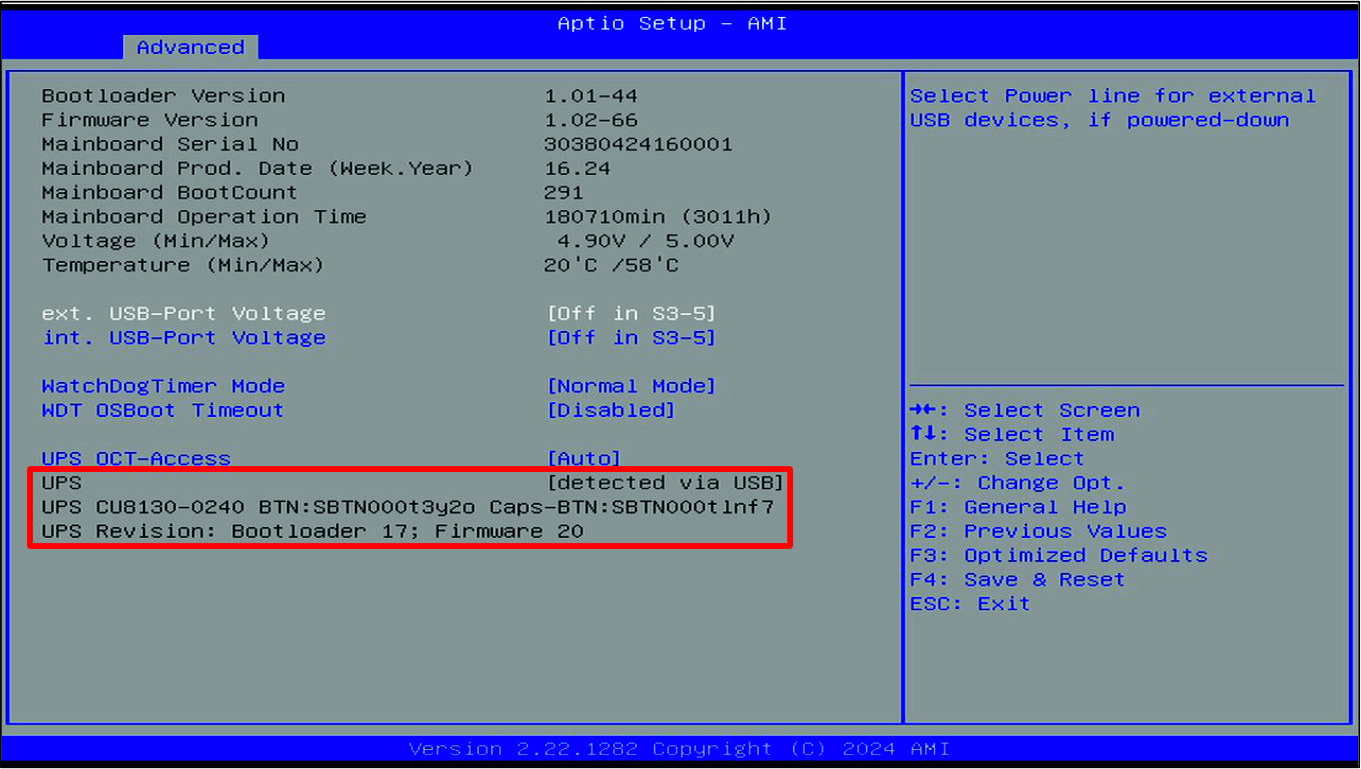 Fig.32: UPS detected via USB
If you have a UPS OCT-capable device but connect the UPS via USB, the USB connection automatically takes precedence over the OCT connection.
Alternatively, you can order your industrial PC with a special BIOS instead of the standard BIOS. UPS OCT is already activated in the special BIOS. The following ordering options are available:
- C9900-B654: Special BIOS with activated UPS OCT instead of standard BIOS