Change AMS NetID
This work step shows how you can change the AMS NetID of the industrial PC. Note that in doing so you will also change the address of the industrial PC in the TwinCAT network. The AMS NetID consists of 6 bytes and is represented in dot notation and in the hexadecimal system.
Proceed as follows:
- 1. Stop the TwinCAT service with the following command.
sudo systemctl stop TcSystemServiceUm- 2. Open the TcRegistry.xml file under /etc/TwinCAT 3.1 with a text editor.
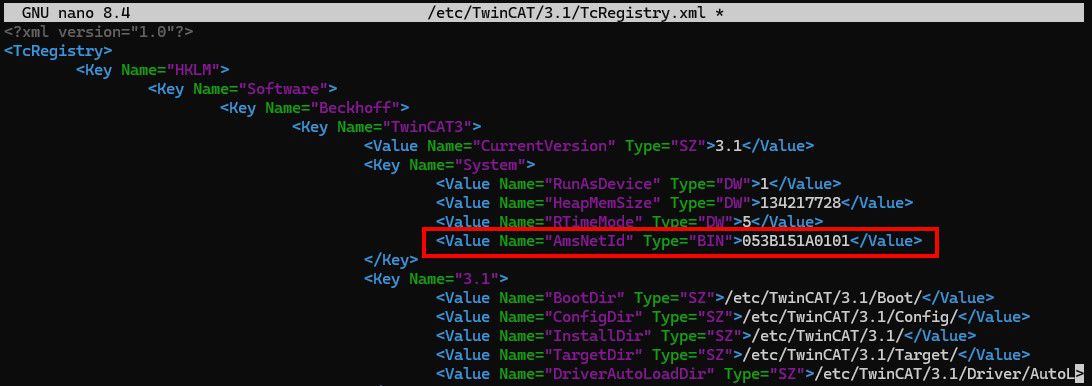
sudo nano /etc/TwinCAT/3.1/TcRegistry.xml- 3. Change the AMS NetID under the entry
<Value Name="AmsNetId" Type="BIN">053B151A0101</Value>.
The entry 053B151A0101 corresponds to the following AMS NetID: 5.59.21.26.1.1 - 4. To save the file and exit nano, press CTRL + X, then Y to confirm the save and then ENTER to write the changes.
- Restart the TwinCAT service.
sudo systemctl restart TcSystemServiceUm