PLC integration
The values transferred by oversampling can be used in the higher-level controller or generated there. An array can be used to group several process data together for this.
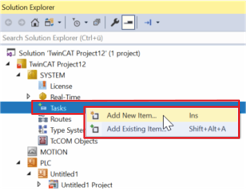
- ►Right-click "Task"
- ►Left-click "Add New Item"
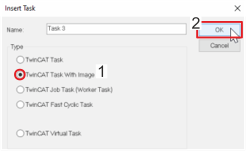
- ►Select "Task with image" [1], give it a name and confirm with "OK" [2]
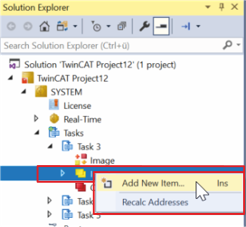
- ►Right-click "Input"
- ►Left-click "Add New Item"
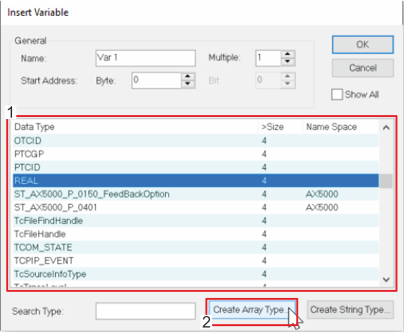
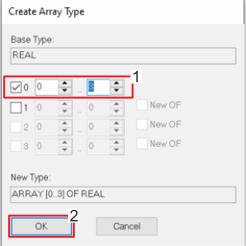
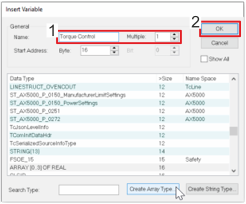
- ►Select a variable type from the list and click "Create Array Type"
- ►Define "Array" size [1] and confirm with "OK" [2]
- ►Select the created "Array Type" and issue a name [1]
- ►Confirm with "OK" [2]
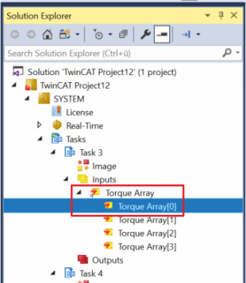
- ►In the Solution Explorer, left-click "Array" element
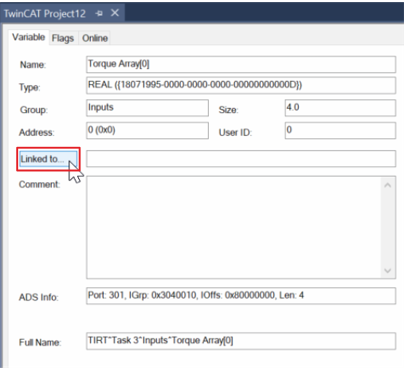
- ►Left-click "Linked to"
- ►Select "Sample" and confirm with "OK"
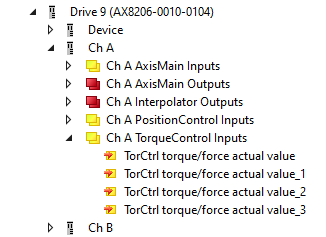
Repeat this step for all "Array" elements.
You can now use the "Array" in a "Scope", for example.