Creating a project
Open TwinCAT in the Windows Start menu
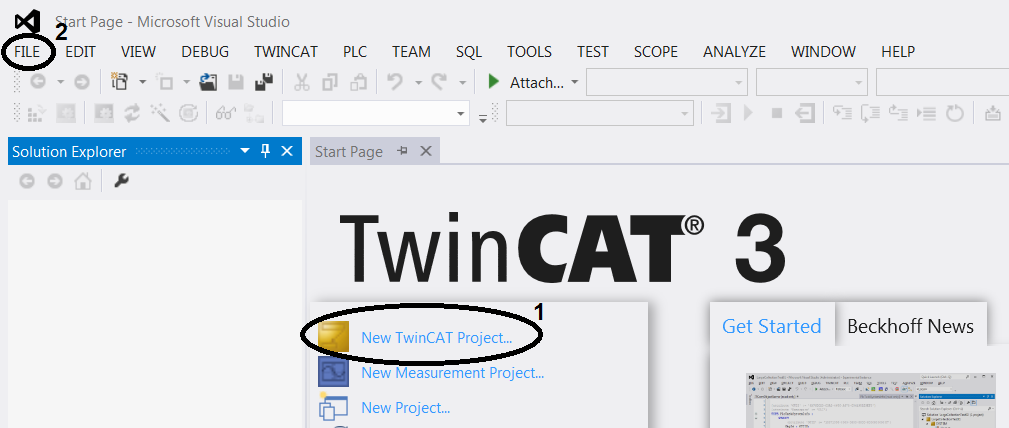
Create a new project using the option New TwinCAT Project… (1) on the start page
If TwinCAT opens without the start page shown above, create a new project via the menu bar: File (2) → New → Project.
In both cases, the window for creating a project will open.
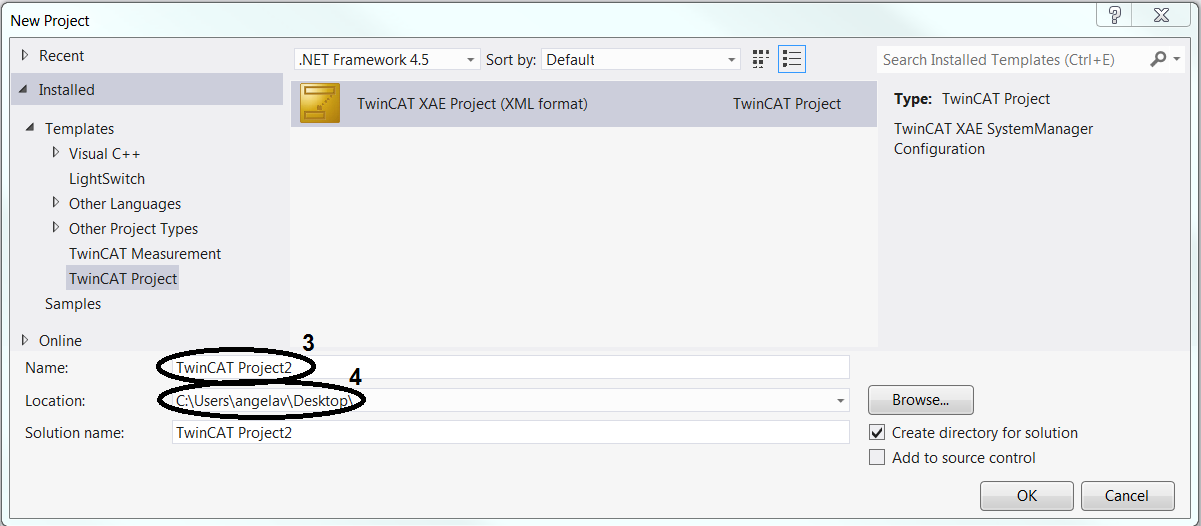
Assign project name (3)
Specify storage location (4)
Confirm entries with OK
→ The new project appears with the Solution Explorer on the left and the workspace on the right.