Parameterization
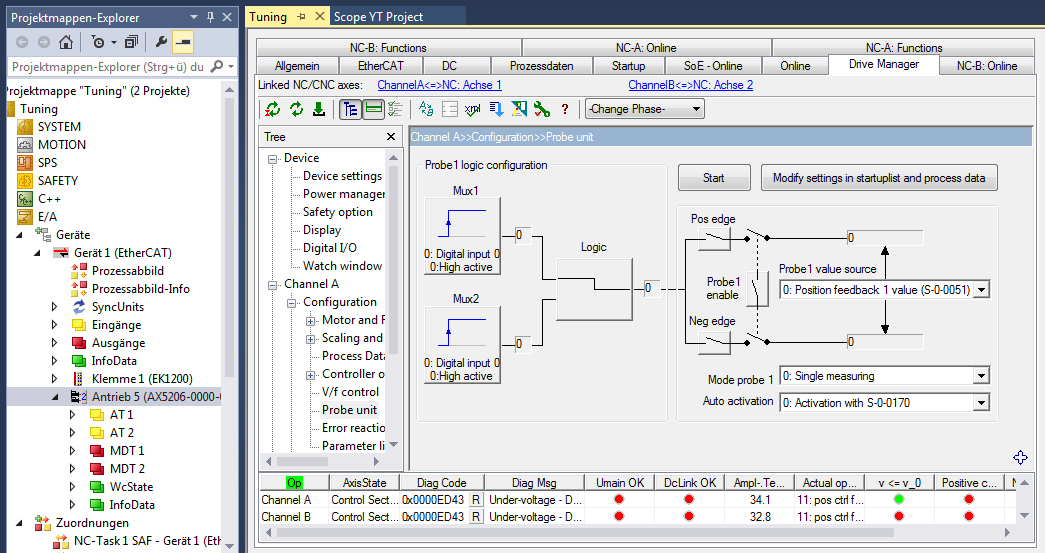
The Probe Unit is parameterized via a configuration dialog of the AX5000 servo drive. In multi-channel devices a Probe Unit is available for each channel.
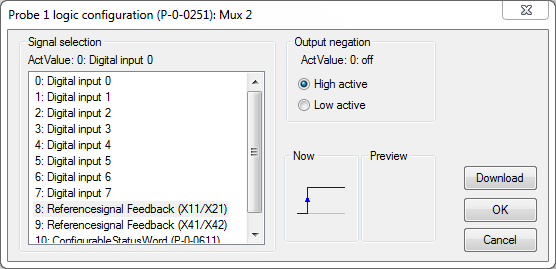
Proceed as follows to parameterize the Probe Unit:
- Select a signal source (in our sample „Mux2“ on the left) for triggering the Probe Unit.
- Assign a digital input of the AX5000 servo drive (0-7) to the signal source.
Homing:
Select the configuration „Mux2“ for homing with evaluation of the encoder zero track. "ReferenceSignal feedback" is only available in this signal source.
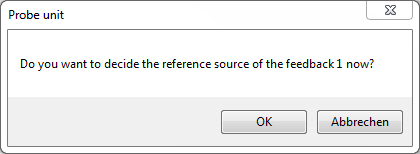
The following window (left) appears for a configuration with "Reference Signal Feedback".
- Confirm with OK
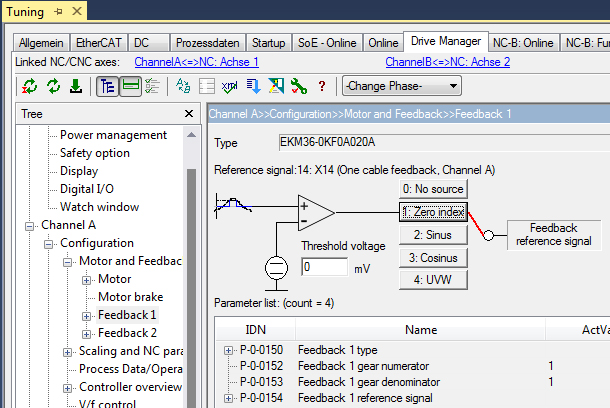
The "Feedback 1" menu appears.
- Select the source of the "Feedback Reference Signal" (usually "Zero index").
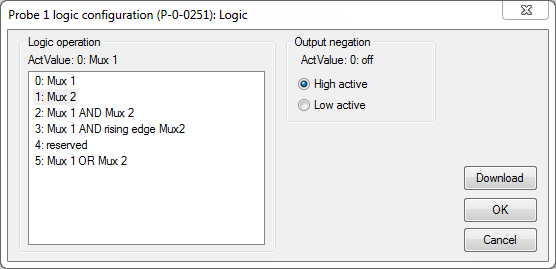
Further settings are required in the "Probe unit" window (left).
- Press the "Logic" button.
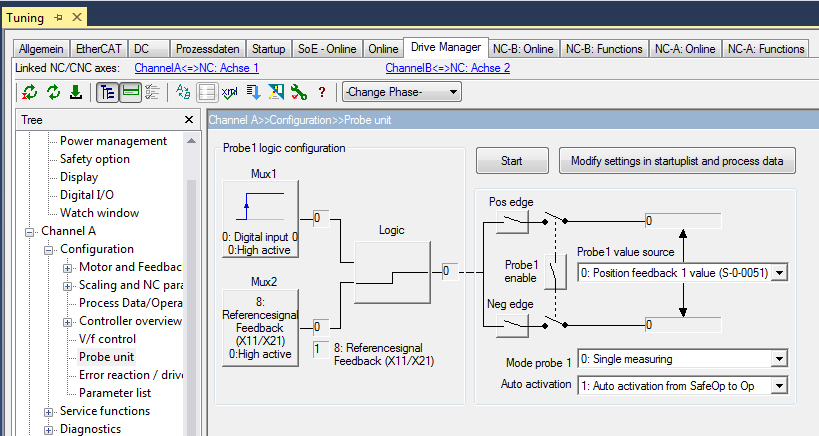
The trigger signal can be linked to a further signal source (Mux 2). The simplest case consists of a signal source and the combination logic ("Logic operation").
- Specify which signal edge (positive or negative) should be evaluated in the signal curve (Pos Edge or Neg Edge).
- The decision for a specific signal edge is made when parameterizing the AX5000 servo drive. It cannot be selected later in the control program (NC / CNC).
In the last step the "Mode" and the activation type are specified.
Mode probe 1: 0 Single measuring:
After each measurement event, the new process must be activated by a
0-1 change of enable (default).
Mode probe 1: 1 Continuous measuring:
The measurement is repeated until the enable remains at 1.
Auto activation: 0: Activation with S-0-0170:
The Probe Unit is activated using the S-0-0170 command from the user program (default).
Auto activation 1: Auto activation from SafeOp to Op:
The Probe Unit is activated automatically when the AX5000 changes from the SafeOp to Op state.
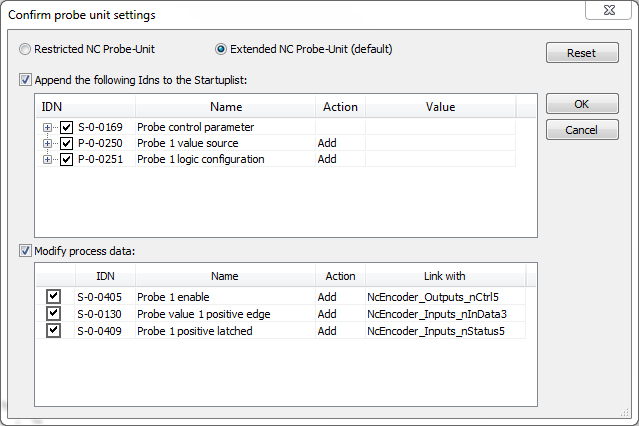
Once all options have been selected, press "Modify settings in startup list and process data". An overview appears, which lists the parameters and process data to be modified. Confirm with OK. If the AX5000 is properly linked to an NC axis, the settings required for this axis are implemented automatically.