Test run
| |
Danger due to movements of the motor The motor moves during the test run. Serious injuries and property damage are possible.
|

enable config
- ►Right-click the symbol ...

| → | A dialog box opens. |
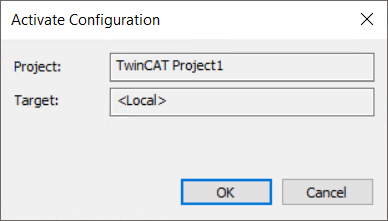
- ►Confirm with OK
| → | A dialog box opens. |
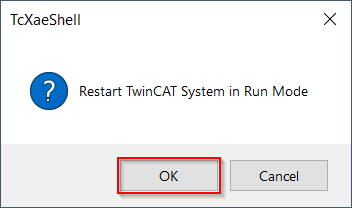
- ►Confirm with OK
Start ASI8100
- ►Double-click on “???” in the Solution Explorer
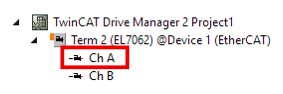
- ►Select the menu Run motor
| → | A warning message appears. |
- ►Read the warning, follow the instructions, and confirm by clicking OK.
- ►If you cannot click “OK,” the reason will be displayed by Drive Manager 2 in blue text.
| → | The “Run Motor” window appears. |
- ►Click theStart record button
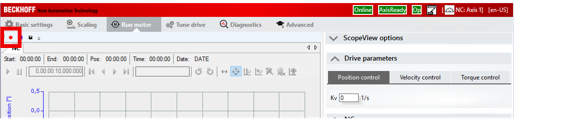
| → | The Scope View records the following values:
|
Preparations for the test run are complete.
Axis enable
The axis only executes motion commands when it is enabled. Enable the axis as follows:
Check the status of Drive Manager 2
Check the title bar of Drive Manager 2 for the following icons (present and highlighted in green)
- Online
- AxisReady
- Op
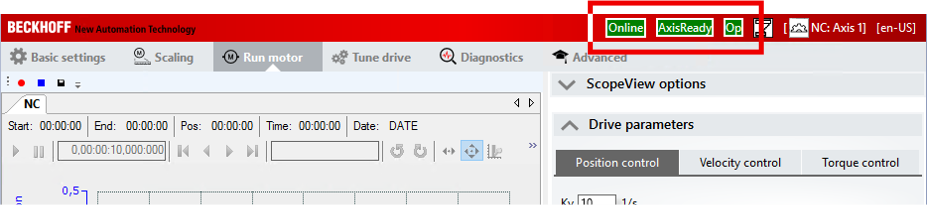
Drive Manager 2 is ready.
Enable axis
- ►On the right side under “NC” activate the checkboxEnable controller
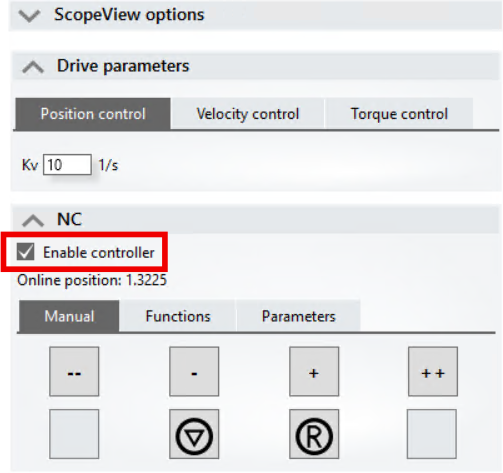
The axis is enabled.
If field-oriented control is enabled, the axis moves back and forth a few degrees to determine the commutation.
Manual operation
During commissioning, you can move the stepper motor drive ASI8100 in any direction during manual operation to perform the test run. The controls for manual operation are located in the “NC” menu under the menu itemManual.
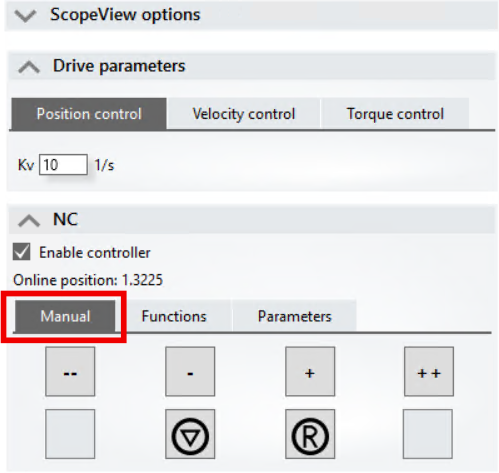
Control during manual operation
The ASI8100 only runs as long as a button is pressed. As soon as you release the mouse button, the ASI8100 stops.
The following buttons are available:
Button | Command |
|---|---|
- | Travel in the negative direction at 5% of the maximum velocity. |
-- | Travel in the negative direction at 30% of the maximum velocity. |
+ | Travel in the positive direction at 5% of the maximum velocity. |
++ | Travel in the positive direction at 30% of the maximum velocity. |
| Stop the NC axis |
R | Reset an error from the Motion NC |

Behavior in case of an error

The error icon appears in the user interface next to theEnable controller checkbox. The motor is switched torque-free and disabled.
- ►Move the mouse pointer over the symbol to get more information about the error.
- ►Click on the “R” button to acknowledge all errors.
- ►If you cannot acknowledge the error, check the messages on theDiagnostics tab.
Dynamics
Acceleration controller
UnderParameters in theDynamics menu item, you can set the acceleration time.
The acceleration control adjusts the dynamics of the ASI8100. Acceleration time refers to the amount of time it takes the ASI8100 to reach its maximum speed.
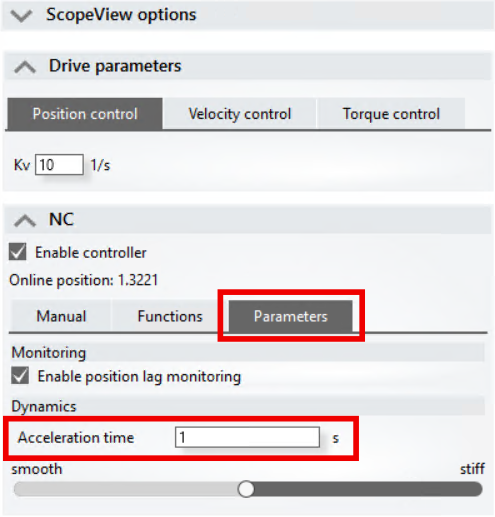
 | Adjust factory setting By factory setting, the acceleration time is set to a high value, so the ASI8100 accelerates slowly. This ensures that a following error is detected adequately and that the dynamics are not too high during commissioning. To increase the dynamics, reduce the acceleration time. Lower acceleration time increases the probability that a following error will occur.
|