Mounting in the control cabinet
 | Mounting example This chapter provides information on mounting the economy variable frequency drive AF1000. A single device is mounted as an example. |
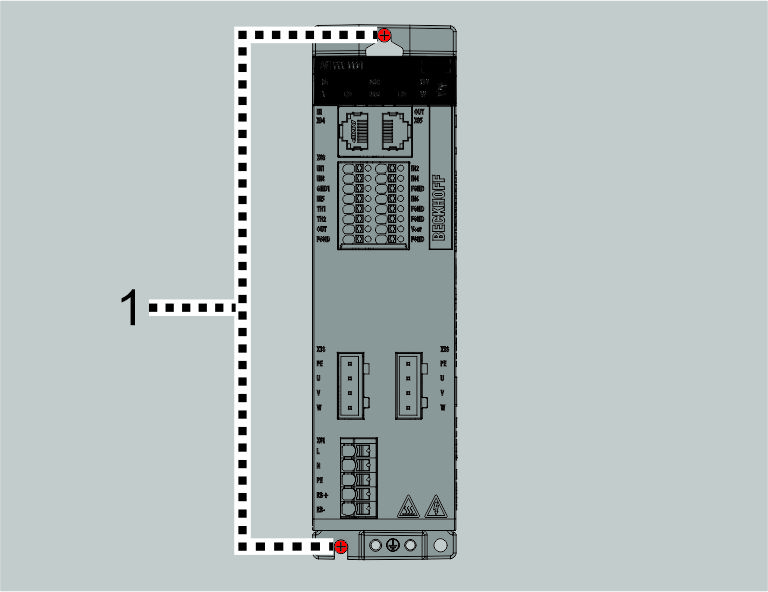
The economy variable frequency drive AF1000 has two
mounting points [1] where it is fixed to the mounting plate with screws.
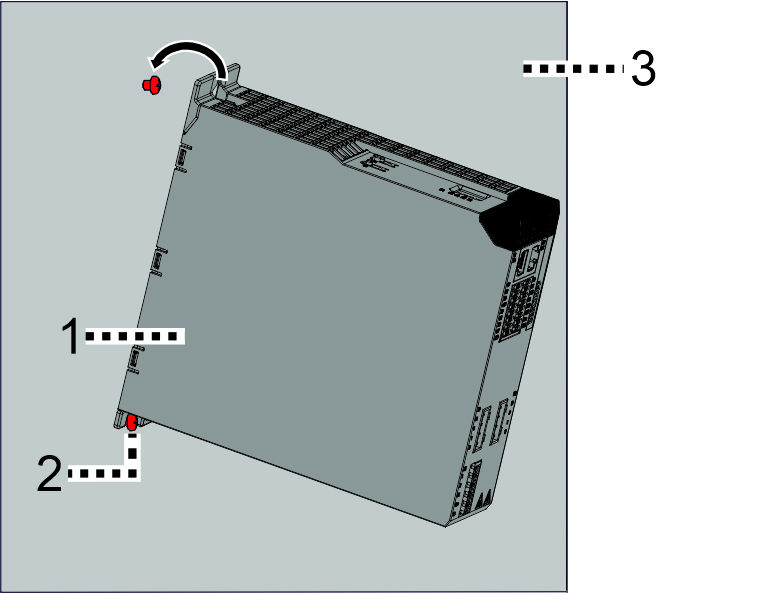
- ►Insert the screws into the control cabinet mounting plate
- ►Place product [1] on the lower screw [2] and carefully press it against the mounting plate [3]
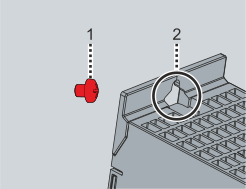
- ►Guide the upper screw [1] through the large recess on the upper flange of the housing [2]
- ►Tighten all the screws in the elongated holes in the module housing
- ►Observe tightening torques
Components | Tightening torque [Nm] |
|---|---|
M4x12 screws with washer | 3 |