Mounting in the control cabinet
 | Installation example This chapter provides information on installing the economy variable frequency drive AF1000. A single device is mounted as an example. |
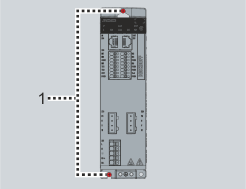
The economy variable frequency drive AF1000 has two
mounting points [1], which are used to secure it to the mounting plate with mounting screws.
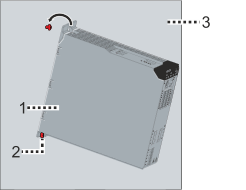
- ►Screw the screws into the control cabinet mounting plate
- ►Place product [1] on the lower screw [2] and carefully press it against the mounting plate [3]
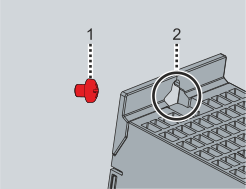
- ►Guide the upper screw [1] through the large recess on the upper flange of the housing [2]
- ►Tighten all the screws in the elongated holes in the module housing
- ►Observe tightening torques
Components | Tightening torque [Nm] |
|---|---|
M4x12 screws with washers | 3 |